
It’s one of the most common frustrations of modern technology. You pop in your wireless earbuds, ready for music or a podcast, and the sound only comes out of one side.
You try putting them back in the case. You try turning Bluetooth off and on. Nothing works.
The good news is your earbuds are almost certainly not broken. They are just “out of sync.” This is a very common bug in all True Wireless Stereo (TWS) devices, and the fix is surprisingly simple.
1. The Simple Reason This Happens (The “Band Conductor” Analogy)
This problem happens because your earbuds have two different “conversations.”
- Conversation 1: Your phone talks to one earbud (the “master” or “conductor”).
- Conversation 2: The “conductor” earbud talks to the other earbud (the “slave” or “musician”).
The “only one earbud works” problem happens when Conversation 2 fails. Your phone is talking to the conductor just fine, but the conductor never told the musician to start playing. They are “desynced.”
To fix this, we need to stop all conversations and force them to restart in the correct order.
2. A Universal 5-Step Fix for Any Earbud Brand
This 5-step process forces a “hard reset” and works on 90% of wireless earbuds, from brands like POMUIC to any other “white-label” device.
Step 1: “Forget” the Earbuds on Your Phone
Go to your phone’s Bluetooth settings. Find your earbuds in the device list and select “Forget ThisDevice” or “Unpair.”
Step 2: Turn Off Your Phone’s Bluetooth
This is a simple but critical step. Toggle Bluetooth completely OFF. This stops your phone from trying to “talk” to the earbuds while you reset them.
Step 3: Force the Earbuds to Reset
This is the most important part. You need to clear the earbuds’ “memory.” The method varies, but the most common one is:
* Place both earbuds in their charging case.
* With the case lid open, press and hold the touch-control area (or a button) on both earbuds simultaneously.
* Hold them for 10-15 seconds until you see the lights flash in a new, unusual pattern (e.g., flashing red and blue, or flashing multiple times).
This gesture clears their old pairing memory, “forgetting” that one was the conductor and one was the musician.
Step 4: Let Them Pair to Each Other
Close the case lid. Wait 10 seconds. Now, open the case lid.
Do not take the earbuds out yet. Just let them sit for 5-10 seconds. During this time, they are performing a new, clean “Conversation 2″—they are pairing to each other and establishing which one will be the new conductor.

Step 5: Re-connect to Your Phone
Now that the earbuds are synced to each other, you can take them out of the case. Turn your phone’s Bluetooth back on. Go to the Bluetooth menu and select your earbuds from the “new devices” list to connect.
You should now have sound in both ears.
3. Case Study: Applying the Fix to POMUIC W23 Earbuds
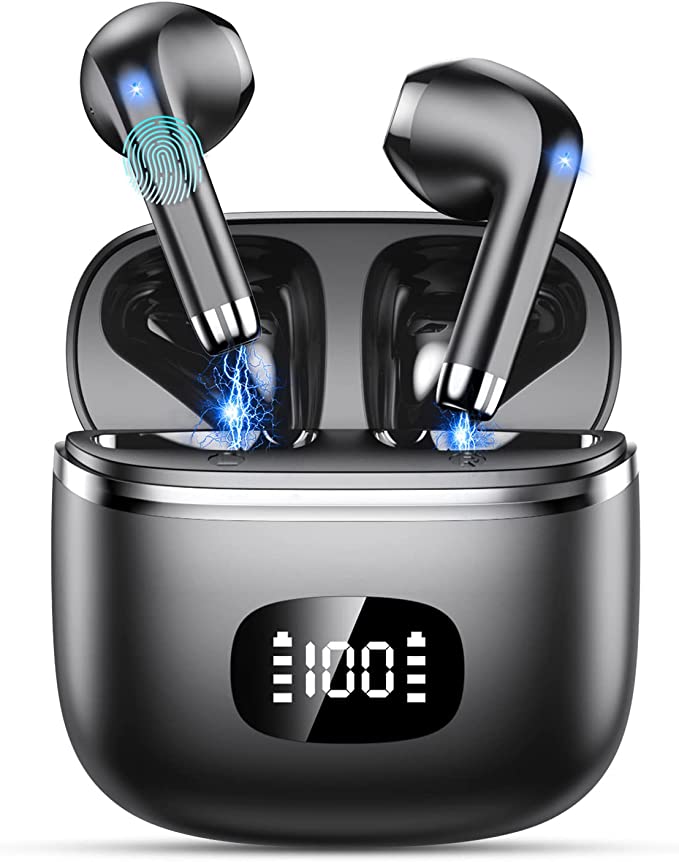
This exact process works perfectly for many common models, like the POMUIC W23.
If your W23 earbuds are experiencing a pomuic earbud pairing issue where only one side connects, follow the steps above exactly:
1. “Forget” the “W23” device in your phone’s Bluetooth menu.
2. Turn off your phone’s Bluetooth.
3. Place both W23 earbuds in the case, leave the lid open, and press and hold the touch surfaces on both buds for 10-15 seconds until the lights flash.
4. Close the lid, wait 10 seconds, then open it. Let the buds sit for 5 seconds.
5. Take the buds out and re-connect them to your phone.
This “hard reset” process resolves the desync issue almost every time.
4. What If It Still Doesn’t Work?
If this universal fix doesn’t work, there are two other possibilities to check:
* Check Mono Audio Setting: Go to your phone’s Accessibility settings and make sure “Mono Audio” is turned OFF.
* Check L/R Balance: In the same Accessibility menu, check the “Audio Balance” slider and ensure it is in the middle.
But 99% of the time, the problem isn’t a setting—it’s a TWS desync. By forcing the earbuds to reset and re-pair to each other before connecting to your phone, you can get back to enjoying your music in full stereo.