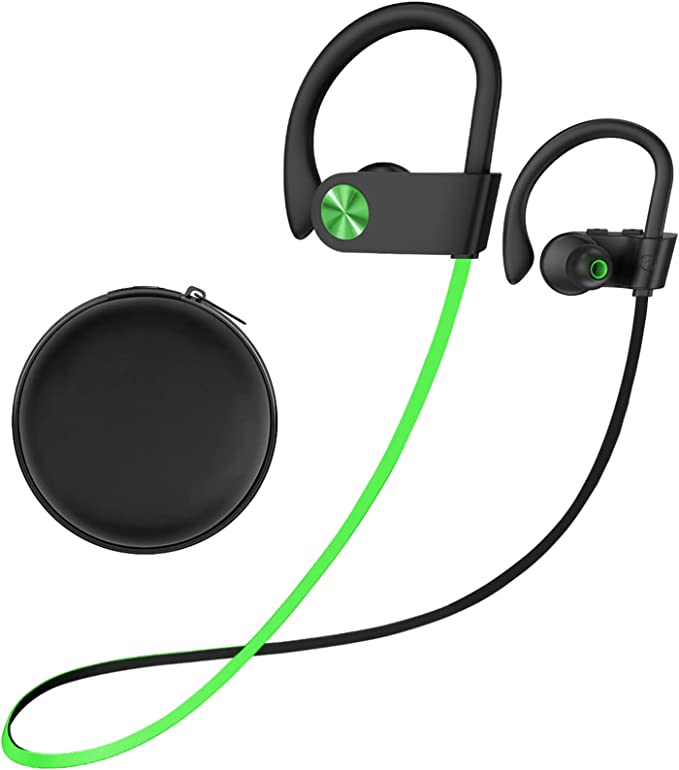

There’s a unique form of modern discomfort, a subtle digital itch that’s hard to scratch. It happens when you’re watching a video on your phone, engrossed in a scene. You see an actor’s lips form a word, and a fraction of a second later, you hear it. The sound is out of sync, a tiny ghost in the machine creating an uncanny valley of audio. This frustrating gap between sight and sound is known as latency. It breaks the illusion, pulling us out of the experience. And in a world of wireless everything, from budget-friendly Stiive U8I earbuds to premium headsets, it’s a surprisingly persistent problem. But where does this delay come from? It’s not a single flaw, but a series of tiny delays accumulated during a frantic, four-stage relay race that your audio must run from your phone to your ears.
The Journey of a Soundbite: A 4-Stage Relay Race
Imagine your audio as a baton in a high-speed relay. For it to reach the finish line (your eardrums), it must be passed seamlessly between four runners. Each handoff, each step, adds milliseconds to the total time.
- The Source (Phone/Computer): The first runner is your device’s operating system. Before the audio is even sent, it has to be processed. The application, the OS audio engine, and the Bluetooth drivers all need time to prepare the signal. This initial processing can introduce anywhere from 20ms to 50ms of delay.
- The Encoder (The First Handoff): The audio data is too large to be sent wirelessly in its raw form. It must be compressed. This is done by a software or hardware component called a codec (short for Coder-Decoder). This compression stage is a critical source of latency.
- The Wireless Transmission (The Sprint): The compressed data is then sent over the air via the Bluetooth radio. This part is incredibly fast, close to the speed of light, but it’s not instantaneous. More importantly, to ensure reliability, data is sent in small packets that must be managed and checked for errors, adding a small transmission delay.
- The Decoder (The Final Handoff): Finally, your earbuds receive the compressed data. Their internal chip, like the CSR chip mentioned in the Stiive U8I’s specs, must decompress the signal back into an audible sound wave and send it to the drivers. This decoding step adds its own slice of latency.
The total delay you experience is the sum of all these stages. And the slowest runner in this race, the one most often responsible for a botched handoff, is the codec.
The Codec Bottleneck: Speaking Different Languages
The codec is the translator in our relay race. It dictates how audio is compressed and decompressed. Different codecs offer different balances of sound quality, data rate, and, crucially, latency.
- SBC (Subband Codec): This is the mandatory, universal codec for all Bluetooth audio devices. It’s the default fallback. While its quality has improved over the years, it’s generally known for having higher latency, often ranging from 170ms to 270ms. This is easily noticeable in videos.
- AAC (Advanced Audio Coding): This is the preferred codec for Apple devices. It offers better sound quality than SBC at similar data rates. Its latency is variable but can be comparable to or slightly better than SBC.
- aptX Family: Developed by Qualcomm, this family of codecs is designed for higher-quality audio and lower latency. Standard aptX brings latency down to around 100-150ms. More advanced versions like aptX Low Latency can achieve an incredible 40ms, which is virtually imperceptible. aptX HD focuses on higher-fidelity sound.
The key is that both your phone and your earbuds must support the same advanced codec to use it. If your aptX-enabled Android phone is paired with earbuds that only support SBC and AAC, the connection will default to SBC. This is often the hidden culprit behind a laggy experience.
Enter Bluetooth 5.3: A Faster, Smarter Messenger
So, the codec is often the biggest contributor to that feeling of lag. This naturally leads to the question: can’t we just get a faster runner for the whole race? This is where standards like Bluetooth 5.3, featured in earbuds like the Stiive U8I, enter the conversation. But its role might not be what you think it is.
Bluetooth 5.3 is a standard for the transmission part of the race (Stage 3). It doesn’t replace the codecs. Instead, it makes the wireless connection itself more robust, efficient, and stable. It introduces features that allow for quicker connections, better handling of interference in crowded Wi-Fi environments, and lower power consumption, which contributes to that impressive 16-hour playtime.
While Bluetooth 5.3 doesn’t directly lower codec latency, a more stable connection means fewer data packet re-transmissions, which can indirectly contribute to a smoother, less jittery audio experience. It’s like paving the track for the runners—it doesn’t make them inherently faster, but it reduces the chances of them tripping.
Debunking “Zero Latency”: The Reality of Wireless Audio
Product descriptions often promise “0 latency” or “perfect audio and video synchronization.” This is, to be blunt, marketing hyperbole. The laws of physics and information theory dictate that the multi-stage process of compressing, transmitting, and decompressing audio will always take time.
True “zero latency” does not exist in the world of wireless audio. A more realistic goal is “imperceptible latency,” which for video is generally considered to be under 75ms, and for gaming, under 40ms. Your standard wireless earbuds using SBC or AAC will almost always be well above this threshold.
Your Latency-Reduction Toolkit
While you can’t eliminate latency, you can take steps to minimize it:
- Match Your Codecs: This is the most important step. If you’re an Android user, look for earbuds that support an aptX codec, especially aptX Low Latency or aptX Adaptive. Ensure your phone also supports it (most modern Androids with Qualcomm chips do).
- Check Your Settings: On some Android phones, you can go into Developer Options to manually check which codec is currently active in your connection.
- Stay Close: Physical distance and obstructions (like walls or even your own body) can weaken the Bluetooth signal, forcing re-transmissions and increasing jitter. Keep your phone and earbuds in close proximity.
- Update Your Firmware: Both your device and your headphones may receive firmware updates that improve Bluetooth performance.
The dream of perfectly synchronized, untethered audio is closer than ever, thanks to advancements like Bluetooth 5.3. But achieving it requires looking past the marketing headlines and understanding the intricate relay race happening behind the scenes. By understanding the role of codecs and the nature of the wireless journey, you can move from being a frustrated viewer to an informed user, equipped to build a system where the sound you hear is finally in step with the world you see.